Showing posts with label technology. Show all posts

Friday, July 20, 2012

New Blog Is Live: martincjones.com

When I started this blog, it was a mixture of stuff I was writing for myself and stuff I wanted to share with my friends – part diary, part mental sandbox, part way for friends to keep up with what I'm doing, as I write in the blog description. It started out over at (the now defunct) CrimsonBlog, before migrating here (and losing a few months of posts in process), and has gradually evolved as my interests in writing changed and the possibilities of communicating with friends changed (i.e. Facebook).

With my advance into Twitter, there were suddenly strangers who were interested in my opinions on economic/social/political issues of the day. "You should start a blog", they'd say, after I'd tweeted prolifically about something-or-other. "I have one," I'd respond, "but can't link you to it because it's got personal stuff on there, too."

That problem – that I write things on this blog that I want to share with strangers, but its mixed with stuff I don't feel comfortable promoting – I have solved by creating a new blog, consisting essentially of a stripped back version of this blog.

I say 'stripped back', but the truth is it's a little fancier: I shelled out for a domain name, and am paying Squarespace for hosting; the attraction of their service is that it's easier than self-hosting, but more feature-rich than a free blog. Doesn't cost the world, either. Anyway, I've a built a swish new blog there, and while I'll still be posting stuff here (with the contextual commentary I provide for the intended audience of 'people who know me'), if for whatever reason you want to share my brilliance with anyone, hop over to www.martincjones.com and send them a link from there. Strangers don't really need to know about my bus rides to school or whatever.

Though I do find myself doing this again.

Saturday, January 07, 2012

My First Desktop PC

My home computing has been done on a couple of tablets over the past five or six years, but the sad truth is my trusty Travelmate C204 is nearing the end of its useful lifespan: the speaker is broken, as is the Bluetooth radio; the fingerprint recognition has a loose connection; the screen no longer works in tablet mode; the fan makes some very worrying noises; and some of the keys are beginning to go. Never mind that the single-core 2 Ghz processor is woefully underpowered by today's standards, and the 120GB hard drive is... well, I probably have more capacity floating around on USB sticks and memory cards. It did its job of getting me through uni admirably, and even let me run it for days to en- and transcode video without too much complaint, but it's time for an upgrade – not least so that I can play a top-release computer game again!

I've always been a fan of Charles Wright's 'Bleeding Edge' columns in the Green Guide (the TV supplement in the Melbourne Age newspaper), and their quarterly recommendations of what computer components to buy to assemble your own office/workhorse/media/gaming PC. (Buying a homogeneous product isn't for me: I like to customise where possible. Hell, I antagonise over the characteristics of toasters.) You can't get the Green Guide here in Sydney, though, and Charles Wright doesn't run in The Age's sister publication, the Sydney Morning Herald; nor have the recommendations on the Bleeding Edge forums been updated recently: the "coming soon" notice has been there since October.
Luckily, my parents keep copies of the Green Guide for a few weeks, so when I was down in Melbourne over Christmas I found the December parts recommendations and jotted them down.

Heading over to MSY – sort of like the Bunnings Warehouse of computer parts – to check the prices, I noticed that they offered pre-built systems. As I've said, this wasn't what I was after, but they did serve a very useful  base from which to customise my system. (Artificially limiting my choices to the stuff MSY stocks (PDF) made decisions much easier, too.)

My budget was roughly $2000, so I started with the low-end "Battlefield" (PDF) system, chucked out the 'gaming' keyboard/mouse/etc, and picked a better case, graphics card, sound card, SSD, HDD, cooling fan, RAM, monitor, and power supply. If that sounds like I didn't keep much, well, that's almost true – it was really just the processor, motherboard, and optical drive. However, I was worried about accidentally picking a component that ends up being completely incompatible with the rest of the system, so, by starting with something that MSY reckons is compatible and replacing it with a similar (but better) component, I figure I'm in the clear.

Here's what I ended up ordering:

CPUIntel i7 2600K 3.4GHz 1155 pin$337
MotherboardASUS P8Z68-V GEN3 (B3 chipset)$219
RAM2 x Patriot Gamer 2 8GB Kit (DDR3 1333)$96
Graphics2GB Radeon HD 6950 Powercolor$270
SoundCreative PCI X-FI Xtreme
ASUS PCI Xonar DG
$51
$39
SSD (for OS)Patriot SATA3 PYRO (Sanforce SF-2281) 120GB$186
HDDSeagate Green 2TB SATA 2/3$129
OpticalLG Blu-Ray Writer SATA$85
CaseThermaltake V9 Tower Case
$104
CPU CoolingNoctua U12P-SE2 (120mm)$74
Power SupplyCorsair TX650$113
WirelessEdimax EW 7718 Un 300M$20
BluetoothInbuilt, I think? Otherwise I'll buy a dongle
Ports4 x USB 3.0, 2 x USB 2.0, 6 x SATA, 1 x eSATA (Inbuilt?)
Monitor23.6" AOC E2450swh Spk$150
SoftwareWindows 7 Home Premium 64bit$95
Assembly$70
TOTAL$1998
$1986

The i7 processor has hyperthreading, which is pretty much useless for games but useful for processor-intensive stuff like graphics/video encoding/statistical simulations; the "K" means the CPU is unlocked should I decide to overclock it in future.
The motherboard was the same across MSY's gaming PCs, so I didn't bother doing much research into it. Seems to be a decent one.
RAM wasn't hugely expensive, so I figured I might as well get a ridiculous amount :-)
The graphics card was interesting: the MSY specs all had dual 1GB cards, but a bit of forum-trawling suggested the benefits depend heavily on which two (cheap) cards you compare to which single (expensive) card. There are also sometimes problems with getting games to use both cards, and you'll definitely use more power. I plumped for the simpler solution and instead bought the best card I could before I thought the prices started getting ridiculous.
None of the gaming systems had sound, so I was a bit in the dark with this choice. The X-Fi Extreme was the better of the mid-range offerings from Creative (based on the specs on their website), but I don't know all that much about it. Upgrading the system to a media PC (e.g with television card and whatnot) is something I may do down the line, but for now I just wanted something a bit better than your entry-level sound card.
An SSD for the OS is a no-brainer these days, and I wanted a decent size so I could keep as many programs as possible on it. The brand is the same as MSY were using.
The HDD, on the other hand, is a slower (5400rpm, versus the normal 7200rpm) spindle that uses a bit less energy. 2 TB should be enough for a few years, I hope...  The MSY specs were using Western Digital drives, but the salesman told me he'd had so many returns that he'd recommend Seagate instead.
I don't remember the last time I burnt a CD; all I really use my current drive for is to rip my music CDs and the odd DVD. Still, it can't hurt, and the LG seems to be what everyone (incl. Charles Wright) recommends.
My original idea for a case was going to be the Thermaltake Dokker, with an Antec Kühler H2O 620 water-cooling system and two Noctua NF-S12 120mm case fans. (Where possible I'm choosing components that run quietly, so that I can leave my computer on overnight in my room with minimal disturbance.) However, the Thermaltake V9 case got an excellent review, not just because it looks cool, but also because of its ease for fitting components and cooling properties. As the V9 already has three fans installed – two 120mm, and a whopping 230mm – I ditched the Noctua case fans and replaced the Kühler with the Noctua UP12 CPU fan (pretty much a coin flip between it and the Noctua NH C12P).
What all this meant, sadly, is that I have to forego a shiny LED dashboard in the front of my case that would let me monitor and control all the relevant temperatures and fan speeds in my case. I had taken quite a liking to the AeroCool X-Vision, but unfortunately it has three-pin connectors while the V9's fans are four-pin; while you can still plug one into the other, you lose the fan-speed control doing so, making the exercise pointless :'-( 
I upgraded my power supply a little to cope with the beefed up components versus the MSY system I was working from, though according to this very helpful power supply calculator I shouldn't draw more than 450ish Watts at full load. As PSUs tend to be most efficient with a mid-range load (see e.g. this Corsair TX650 review), however, I don't mind if this one is underutilised.
The wireless card is from the MSY specs – wireless on a desktop? –; Bluetooth I thought was integrated (but the MSY guy wasn' sure); the ports are whatever is on the motherboard; and the OS is Windows. Nothing to see here.
I am trying something out with the screen: the offerings in this size/price category are all very similar in terms of resolution, weight, power consumption, viewing angle, etc, but the AOC e2450Swh appears to have a response time of 2ms while the others (Samsung, LG, Philips, etc) all had 5ms. This isn't a brand I've heard of, so it's a bit of a pig in a poke, but they've got a three-year warranty so whatever. What I really wanted, actually, was a screen that rotated 90° to go into portrait mode – I have one at work and love it –, but I haven't found an affordable one of those yet.

Right! So that's what I'm buying. It all comes in at just under my budget, which is excellent – I swear I wasn't fiddling around trying to stay under it, it just happened that way. Of course, by rights I should include the cost of the larger desk I'll need to support this beast of a machine, but never mind that. Soon I'll have a new toy, and I'll hopefully stop dreaming about replacing my not-even-two-year-old Asus Eee netbook with the incredibly sexy Asus Eee Pad Transformer. (At least for a few months.)

UPDATE 12/01:
MSY have told me the sound card I wanted is not currently in stock, and may take a while (several weeks) to order. The suggested replacement is an ASUS sound card almost double the price of what I originally wanted, which I don't think is worth it at the moment. I instead asked for a well-reviewed cheaper ASUS card, but that one appears to be out of stock, too! "ETA unknown."
I can't be arsed waiting weeks on a sound card, so I've just told them to build the system without it and I'll install it myself when it arrives. It could be only a very short time until I have my computer, now! :-)

UPDATE 28/01:
To complement my souped-up gaming PC I've also shelled out for a pair of SteelSeries 7H headphones. I wanted something with at least as good sound quality as my Sennheiser HD202s – now seven and half years old! –, but with a microphone and, ideally, circumaural (around the ear) rather than surpraaural (on the ear) design. The 7Hs fit the bill, and got very good reviews everywhere I looked. The one downside was the price, but it must've been my lucky day as Amazon US was selling them on special for ~AU$85 (incl. postage). C'arn the Aussie dollar!

P.S. Seven and half years ago I bought my Sennheiser HD 202s from JB Hi-Fi for $60. Today, JB sells them for... $75. This is why I shop online now, you tossers.

Thursday, September 08, 2011

In the heat of the moment

I bought a new toaster yesterday.

This might seem unremarkable, until one considers that I had already bought a toaster when I moved into my apartment, and this original toaster functions as well now as it did when I bought it, then.

That first toaster seemed like a canny purchase at the time. It was a Sunbeam – a well-known brand – in good condition, with pleasant lines and clean, unmarked white plastic in which the controls sat well. I bought it second-hand, from a chap whose new 4-slice stainless steel appliance seemed to justify the sale of his 2-slice model for the low low sum of $5. Ever wary, I asked to plug my prospective toaster in, and inspected it critically as it heated. No smoke, no smells, no sparks; good.

Heating, though, is only a portion of what a toaster has to do. It also, at some point, has to stop.

Stopping is what my old toaster doesn't do. Like a demented Duracell bunny intent on producing charcoal it keeps going, and going, and going. This is... sub-optimal – but for the sake of $5 I wasn't going to chase the seller down and demand a refund. Besides – I didn't toast that often; when I did, I could just monitor the bread and halt the process manually, right?

I could, and I did. And it was irritating. And sometimes I forgot, and would be prompted only by the smell of smoke, and would stand over the sink scraping black particles off my toast until it was edible again. Edible, but cold.

When I went to the supermarket, I would inspect the toasters on offer there. Not the best of appliances, certainly, but ones, I imagined, that would be able to stop, as well as start. The cheapest was $15, and often I paused on my path to (more often than not) the chocolate aisle, pondering: was it worth the price? It never seemed like it. $15, just to automate pressing the "stop" button? Monitoring my toaster wasn't really that big a deal, was it? And I could do a lot with $15 – buy 15 chocolate bars, for example. Never mind that I'd do so anyway...

So I never upgraded my toaster. I explained to guests that they need watch their toast, but they'd forget, and we'd chuckle; "Oh, I did tell you!"  The first time, we'd chuckle. Later, not so much.

I asked an engineer about fixing it: more trouble that it's worth, he said. Just buy a new one – but I couldn't.

Yesterday, I bought a toaster. It cost me $7 dollars, on special. It's a beastly, ugly thing, with small, mean buttons and flimsy components. It has no features I desire beyond being able to heat and stop independently; no high lift feature, bun warming rack, or slice centring. It could well be from the 1970s, this new toaster of mine.


I was in the supermarket again today, buying cream and beer. (Don't ask.) Another toaster was on special: burnished aluminium, fully featured, $17.50 – down from $35. I picked it up. I put it down. I walked away. I came back. I stood there for minutes.

In the end I bought a kettle.

Friday, September 17, 2010

Whom to believe on the NBN

I've been following the debate about Australia's proposed National Broadband Network (NBN) closely since I've been back, and it appears that it will remain a fairly big topic in the coming months. I would like to, therefore, recommend the two persons whose writing I most respect on the subject (the links go to some examples):
These guys deliver consistently high-quality, thought-out arguments on the topic.
Honourable mention goes to Bernard Keane.

(On the "against" side, Christopher Joye and Peter Martin are worth reading; I rarely agree with most of their points, but, unlike most critics, they usually ask the right questions.)

[UPDATE]
The always excellent Possum Comatitus has a post over at Pollytics explaining why calls for a cost-benefit analysis of the NBN are rubbish. Basically it's the difference between risk (quantifiable unknowns; the chance of rolling a 1 on a fair 6-sided die) and uncertainty (unquantifiable unknowns; the chance of rolling a 1 on a die whose properties are unknown – 4-sided, 6-sided, 20-sided, weighted, whatever).

Monday, July 26, 2010

Fool me nonce

I had a lovely chat with a friend of mine this afternoon, during which I learnt that the programmers of spambots are getting much better at their job – the spam (or perhaps phishing, I didn't follow it up) is now interactive!

Exhibit A: Our chat log
(13:41:09) Friend: Hey r you there?
(13:56:01) Me: Hey! Yeah, I'm here
(13:56:06) Friend: I just took an IQ quiz
(13:56:22) Me: online, or in real life?
(13:56:30) Friend: I was smarter than I am :D
(13:56:57) Me: you were smarter than you were...?
The third message is what gave it away. The sloppy spelling and talk of an IQ test in the first two lines were unusual for this friend, but possible. However, he doesn't write this poorly. Also, he replied scant seconds after receiving my message. Teenage girl behaviour, perhaps, but not adult male. After that I just decided to see what came next. As expected: The Link Of Doom
(13:57:07) Friend: you have to look if u can beat me, http://twurl.cc/[REDACTED]
(13:57:28) Me: huh. The bots are getting cleverer.
(13:57:33) Friend: im sure you cant lol
(13:58:33) Me: I'll play along, Eliza - what did you score?
(13:58:45) Friend: take it now while I take a shower!
(13:59:53) Me: your programmer didn't want to input that many responses, huh? Took the out.
(13:59:57) Friend: brb take the quiz!
(14:00:36) Me: and the next response is...
(14:00:59) Me: nope, that was it.
All in all, a much better attempt at fooling someone than just a single-shot "LOLZ!!! U have 2 check this out!!!!" message.

Monday, June 21, 2010

POP access for Yahoo! Mail

During my tender youth I signed up for an e-mail account at Yahoo!, and, primarily because I've had it so long, I keep it active. Unwilling to pay for e-mail provision, however (neither through actual money or by letting faceless entities trawl through my e-mail contents), I've been unable to enjoy the convenience accessing my Yahoo! Mail via POP3, instead having to use the WebMail interface each time. 

A brief experiment with POP-server simulation software ended in disaster (all messages disappeared into the ether during a routine drag-and-drop), but getting free POP access is actually as easy as changing your "Preferred Content" region to Yahoo! Asia.

How about that.

IMAP would be even more betterer, of course, and is apparently also possible, but that particular piece of fiddling will have to wait for another day. Right now, the football is starting ;-)

Thursday, June 10, 2010

Getting the Asus T91MT up to scratch

Here's what I've done:
  1. Had a look at the (pre-installed) Windows 7 OS, and used the Magical Jelly Bean Keyfinder to find out what the registration keys for Windows and for Microsoft Office were. Wrote these down in case they differed from the ones written down on my recovery disk.
  2. Updated the BIOS using the installed "ASUS Update" program.
    Did a clean install of Windows 7. Not having an external DVD drive, I had to fiddle around with transferring the recovery disk to a USB drive: it's darn near impossible to get the recovery disk to boot from a USB drive as is, so I used UltraISO to create a bootable version of Window 7 Home Premium from another copy I have, and the followed this technique to turn it into the Asus recovery disk. This step took a while (both to create the USB boot disk and to install). I set the Asus to boot from the USB as the primary HDD via BIOS (press F2 during the boot sequence to enter the BIOS), but for some reason the install process installed Windows twice before fully setting up.
    (A network install was the other alternative. See here and here for details should you go down that path.)
  3. Manually re-installed the Asus software and services not automatically installed in the previous step (those that I wanted, anyway), and disabled those services/uninstalled the software I didn't want. This was based broadly on these recommendations.What I installed from either the restore disk or the Asus Support Website was:

    • ASUSUpdate
    • AsCalibration
    • Chipset Driver
    • HotKeys
    • IntelliWriting
    • Super Hybrid Engine
    • TouchPad Driver
    • TouchSuite
    • VGA Graphics Driver
     
  4. Turned off or down the graphics effects to improve performance.Other possible performance enhancements include upgrading the RAM to 2GB (you'll need 2GB DDR2 800MhzPC2-6400 RAM for laptops), installing a faster SSD, and overclocking the processor to 1.6Ghz/1.8Ghz. Upgrading RAM is cheap and simple (mine's on the way), but I'll wait until I've done that before messing around with anything else.
  5. Downloaded the "Touch Series Application" pack from the Asus Support Website to get the included "PenWrite" program, which activates global palm rejection (indispensable if you plan on writing on the screen). N.B. This package is available from the T101MT's page (not the T91MT's), under "Utilities".
  6. Installed Microsoft Security Essentials for the AntiVirus, Foxit for the PDF reader, and Firefox as the browser (with AdBlock Plus, Xmarks, and Speed Dial as extensions). Also Digsby for chat, Twitter, and checking emails.
  7. Installed the most recent set of Windows Updates, it being just past Patch Tuesday.
  8. Pulled off all the existing stickers and put my own, bigger sticker on the case :-)
Further updates as they happen...

[Update 1]
I installed and ran CrystalDiskMark to test my hard drive's read/write speed (see below), which compared favourably to those measured by JKK during his SSD upgrade.
Then, since everything looked to be in order, I backed up an image of my system to an external hard drive using the Windows 7 backup utility.

Also bookmarking this post on overclocking for later (includes links to BIOS and drivers).

Friday, June 04, 2010

It's here!


No prizes for guessing what I'll be doing the rest of the day.

Tuesday, June 01, 2010

Netbook re-shined!

First I wanted it, then I changed my mind, now I'm back on the Asus Eee PC T91 bandwagon – except now it's the T91MT, where the "MT" stands for "multi-touch". Mmmmmmtouchy!

It turns out the T91MT does support handwriting recognition and, with a software upgrade, global palm recognition. It's still underpowered, but apparently that's not so much of a problem as the sometimes slow solid state hard drive. Luckily, the latter can be replaced with a faster SSD.

I've been a bit torn about whether to buy the T91MT or its bigger brother, the T101MT, but I'm leaning towards the former: if I want to get a different product from my Travelmate, it makes no sense to differentiate by degrees – I'd just be trying to decide which to use for the same tasks, when I want to be using them for different tasks.

My inner sense of caution means I probably won't buy it RIGHT NOW (though I have the purchase page open), but soon... perhaps before the day is out.

Mmmmmmm, shiny shiny shiny shiny!

(P.S. Stuff iPads, seriously.)

Friday, November 13, 2009

A bold choice

One particular telephone company here in Germany has a "BlackBerry Deal" for students running at the moment, and though (or perhaps precisely because) I've had unsavoury dealings with this company in the past I've taken up the offer to borrow a BlackBerry for a week or so.

The model I have is a BlackBerry Bold or BlackBerry 9000, the latest and greatest BlackBerry. Based on the reviews I had high expectations, but so far I haven't been convinced. Okay, as with any new phone, you have to get used to the navigation, in this case the trackball. My first irritation came, however, when I realised I couldn't scroll off the top of a menu and appear at the bottom, or scroll off the left and appear at the right. With long lists, this is a huge time-waster.
The second irritation is the input of umlauts or other accents, which – incredibly intuitively – involves holding down the desired letter and scrolling with the trackball. First of all, that's pretty much impossible to do with one hand. Secondly, the list of possible accents aren't displayed, so you don't know whether the one you're looking for is one, three, or five steps away and have to carefully scroll through each selection.

Still, I find myself entranced by the device. I think 80% of the attraction is the larger screen and GPS, which I plan on utilising intensively when I go on my little cross-Germany tour with The Living End next week. The BlackBerry is doubtlessly a much better device for emails than my Sony Ericsson W580i, but I only occasionally read emails on the go and hardly ever respond, so that's not a deal-breaker. I don't use much internet on the go aside from Twitter (deliberately – I spend enough time online at home!), but where the BlackBerry could convince me is if it proves better at music playback than my current "Walkman" phone. That I haven't tested yet, but the presence of the 2.5mm headset jack rather than a proprietary connection is a terrific start.

I'll keep you updated. Possibly via BlackBerry ;-)

Tuesday, August 25, 2009

Netbook smudged

*sigh*

After getting all excited over the new Asus EEE PC with a touchscreen, the T91, the more in-depth reviews available after its official release have caused me to reconsider my position. Aside from the low-powered chipset, which was clear early on from the specs, the deal-breaker is illustrated in the following video (in German):


No "ball-of-palm" recognition, and no handwriting recognition – this thing isn't a mini-tablet PC, it's just an EEE PC with a touchscreen. If that sounds a little demanding, well, so be it. When I shell out for a touchscreen, I want the software to support it.

Apparently the bigger brother of the T91, the T101, will come with Windows 7 rather than Windows XP Home, utilising the former's inbuilt touch support. Current release date for that is September of this year, perhaps October. I can wait that long.

Wednesday, July 01, 2009

Netbook shiny!

Don't be surprised if you see me with one of these babies in the future: Asus Eee PC T91

I can sum up the attraction in two words:


touchscreen
netbook

My experience with my Acer Travelmate C200 has been so good I sing its praise to anyone who shows even remote interest (though, curiously, I haven't blogged about it...), but it's not something I want to lug around all day. A little itty-bitty Eee PC with a touchscreen might be just the way to go, though. I'm just a little bit leery of buying the first generation – do I want to be that bleeding edge?

I think we know the answer to that question...

Saturday, October 28, 2006

They'll start calling me "Inspector" soon

Another addition to my arsenal of gadgets has just been decided upon: the Jabra BT 620s Bluetooth Headset.


While I was originally considering a regular, run of the mill Bluetooth headset, I didn't much like the look of them; they aim for "Star Trek", and end up hitting "business cyborg". These, on the other hand, look like regular headphones - expect for the fact that they apparently glow blue on the outside when connected. Ah well.. I'm willing to trade that for something I can listen to music on and make phone calls (both via mobile & Skype, I'm told) on wirelessly.

Though I'm under no illusion that these things will have sound quality anywhere near as good as my Sennheisers, bopping along when your headphones don't appear to be connected to anything at all is sure to make people wonder a little. Which I'm all for *grins*

Delivery should occur early next week. I'll keep you posted.

Saturday, April 08, 2006

Technology Convergence Delight

How freakin' sweet is this: because my Xbox (just a regular one that I got for my 21st, not a fancy-schmancy 360) has been hardware-modded – chipped – I can run an FTP server from it. I can do a whole bunch of other cool stuff (IRC, Telnet, SNES Emulation, etc) with it, too, but the FTP thing is cool because it means I can connect to the Xbox from my laptop. This, in effect, turns my Xbox into a giant external hard-drive, doubing my storage capacity AND providing a facility by which I can play shit from my laptop via the Composite Video Out on the Xbox. i.e. I now have simple way of hooking my laptop to a TV. Fuckin' awesome!

Friday, April 07, 2006

It’s like a really expensive Etch-a-Sketch

If I haven't posted recently, it's because I've been spending my computing time almost exclusively with my new baby. Sure, I paid a little too much for it, but as soon as I slid the battery in and registered my thumbprint, all was forgotten. As I sat in my car and stroked it's sleek form lovingly, I was this close |__| to using Telstra's CBD wireless coverage to log onto here and post a quick "Hello World". However, at 20c / minute I decided that could wait a little while.

I'm totally in love with the machine: I've taken it everywhere with me so far, and have no plans to abandon it any time soon. Since it's still pretty much fresh out of the box (I haven't installed much 'cause there's some formatting I want to do) my usage has been pretty much limited to showing it off, and taking notes after swing class, but it fullfills these two functions admirably :-)
Once I have all my media copied accross, it'll be a dream *sigh*
Oh, yeah, and it lets me watch football while I'm brushing my teeth. How much more fucking awesome can it get?!

Thursday, March 30, 2006

That’s $400 of TLE Merch I could have bought >:(

I'm a little annoyed at myself today. Yesterday I placed an order for what will soon become my latest & greatest peice of technological hardware: an Acer TravelMate C200TMI. Basically it's beefy laptop with a screen that you can write on using the supplied magnetic pen – which is known as a tablet – with the quirk of having the screen facing upwards all the time (as opposed to most tablets, where the screen rotates and folds down over the keyboard).

I shopped around a little to find this model, but then - despite promising myself I wouldn't - I had a brain snap and just bought it then and there. No going to different stores to compare prices, no haggling; I just bought it. When I got home later than night I jumped online to look up some more detailed specs*, and what did I find? Stores – in Melbourne – offering the same machine for $400 less that the recommended retail price that I paid. When I rang up the store I placed my order with this morning – to try and cancel the order so I could get a better deal – I was told the laptop was already on it's way to the store, and would probably be there today.

Very frustrating. $400 isn't a massive proportion of the $3'650 I'm paying for the computer (it's >RRP because I got extra RAM, but I get the GST back when I leave), but it sure would have been nice to have it. And while I can often rationalise errant purchasing decisions (e.g. "sure, I paid more, but at least I have a better warranty/helped out a mate/got it now rather than later/whatever), in this case I can't. I simply shouldn't have bought it when I did, regardless of how much I lusted for another shiny acquisition. Weak, Martin. Weak and undisciplined.

* Centrino 2Ghz processor with 533 Mhx Front speed bus, 2MB L2 Cache, 1024MB DDR2 RAM, 100GB HDD, 12.1" screen @ 1024x786 (4:3), 256MB NVidia GeForce Go 6200 graphics card, 4-in-1 memory card reader, biometric fingerprint reader, wireless, bluetooth, 3 x USB 2.0 ports, Infrared, Firewire, two audio ports (no video, unfortunately).

Saturday, September 11, 2004

My preciousss

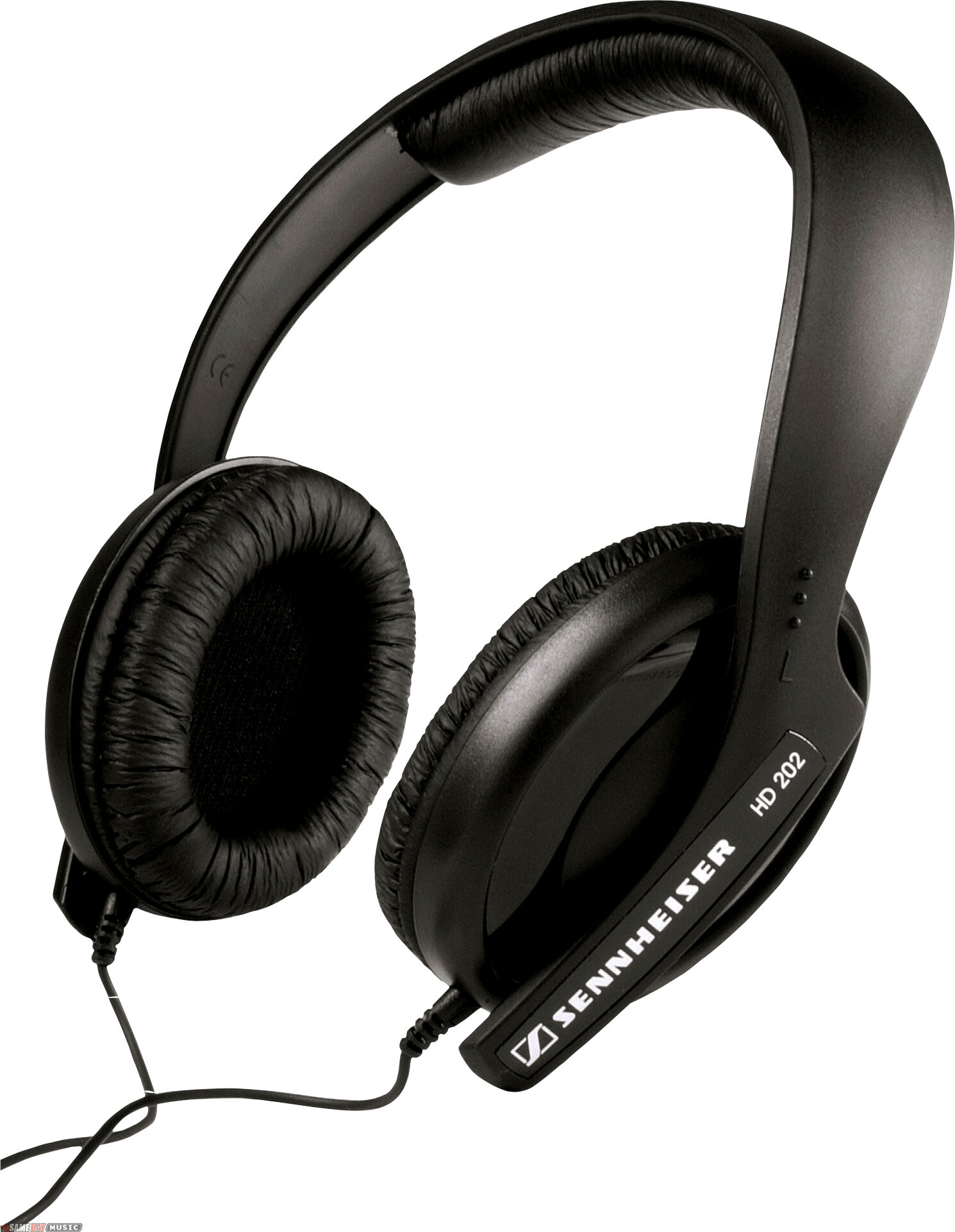
I got these today from JB Hi-Fi
They're not as shiny as in the picture, but their appearance is far surpassed by their performance, let me assure you. At $60 (cheaper online) they're hardly top range - or even top of the middle range - but I'd rate them as an improvement on 80% of computer sound set-ups I've experienced. I stopped dead when Benny Benassi came on, it was that good.
The bass is clean and solid, down to 18 Hz - the next model would have gotten me down to 12 Hz or so, but at the cost of an extra $50 or $60 at least. There were other Sennheiser models to choose from, each with differing strengths (like robustness, or a folding design), but the HD 202's drawcard is that, as well as feeling good, they have quite good isolation. By this I mean, when you put them on, backround noise is greatly reduced. It's not gone, by any means (let's not forget the price we're talking about here), but in combination with the excellent bass you're virtually deaf to anyone more than two metres away. I've only cranked them once or twice for kicks - I'd like my hearing for a few more years yet, thank you - but distortion was a non-issue. The treble sounded a little sharp; but the delightful bass more than compensates.
So, in conclusion, I obviously love them, and would heartily recommend them to anyone shopping for new ones. And not just because they're German :)